Change your business address
If you're a full access user, you can update your business, registered, mailing and personal addresses within Online for Business and the Business banking app.
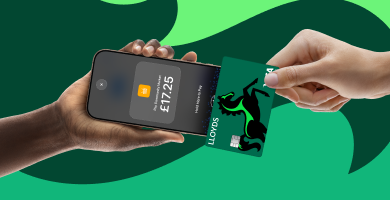
Already bank with us? Just log in and apply in minutes.
For a limited time, get a £200 boost, 6 months' free Xero and a £200 Amazon gift card if you apply for a Lloyds Business Account before 30 November.
Lloyds Accept is for existing Business Account customers with Lloyds or Bank of Scotland.
New to Lloyds? No problem. You can apply for a Lloyds Business Account online in minutes - there’s no account fee for the first 12 months if it’s your first account with us, and you can get an instant decision on lending.** Plus, if you’re a sole trader or individual landlord already registered for Self Assessment, you’ll get access to the new accounting tool for Making Tax Digital.
Explore Lloyds business accounts
**Any lending decision is based on your financial information. No outcome is guaranteed.
Once you’ve applied and been accepted, you’ll be sent an email with a temporary password which you use to set up the app. All you need to do is download the Lloyds Accept app from the Apple App Store or Google Play store and follow the set-up instructions.
Tap to Pay on iPhone uses the built-in security and privacy features of iPhone to help protect your business and customer data. When a payment is processed, Apple doesn’t store card numbers or PIN information on Apple servers. So merchants and customers can rest assured that their data stays theirs.
Tap to Pay on Android is designed with strong security protections to help keep card data safe during every transaction. We use monitoring controls to help detect suspicious activity.
With Lloyds Accept, your customers can securely enter their PIN using your phone screen. Their data - and yours - will still be protected.
Using an iPhone? Turn on the Tap to Pay on iPhone Screen Lock setting for your payment app to lock your device screen during PIN entry. After the customer completes or cancels their PIN entry, unlock the device to continue the transaction.
On your iPhone, go to Settings > Lloyds Accept, then turn on Tap to Pay on iPhone Screen Lock.
Yes. You can view your transactions in the Lloyds Accept app, including details of completed payments. You can also issue receipts and refunds from within the app, making it easy to manage day-to-day payments activity without needing additional tools.
Most transaction fees will have the standard transaction fee of 1.5% + 20p. For example, a standard £50 transaction will cost 95p. A premium card (like American Express) will be charged a transaction fee of 2% + 20p. EU and international cards will be charged a transaction fee of 3% + 20p.
A mobile point of sale (POS) solution lets you take payments on the go using a small, handheld card reader. A softPOS solution lets you take payments using your smartphone, without any need for a card reader. Built for flexibility, both mobilePOS and softPOS solutions are ideal options for retail, hospitality, and pop-up vendors.
Lloyds Accept offers both solutions, with a softPOS solution available at no upfront cost. Once you've applied and been accepted, just download the app and follow the set-up instructions. You’ll be able to start taking payments on your phone in minutes.
Looking for a mobilePOS solution? Once you’re set up with Lloyds Accept, you can order the lightweight BBPOS WisePad 3 card reader for a one-off payment of £49 + VAT. It connects to the app, giving you the flexibility to combine the Tap to Pay with a lightweight card reader.
No. Lloyds Accept is for business owners with a Lloyds or Bank of Scotland Business Account with an annual card turnover under £100,000 who don’t already have a payment acceptance solution from Lloyds.
Yes, as long as you don’t already have a Lloyds payment solution. To apply, please log in to Business Internet Banking.
Find the right card payment solution for your business with our wide range of face-to-face solutions.
Tap to Pay on iPhone Requirements: Tap to Pay on iPhone requires a supported payment app and the latest version of iOS. Update to the latest version by going to Settings > General > Software Update. Tap Download and Install. Some contactless cards may not be accepted by your payment app. Transaction limits may apply. The Contactless Symbol is a trademark owned by and used with permission of EMVCo, LLC. Tap to Pay on iPhone is not available in all markets. For Tap to Pay on iPhone countries and regions, see developer.apple.com/tap-to-pay/regions.
Tap to Pay on iPhone Encryption and Storage: Encrypted card numbers are temporarily stored on iPhone only for transactions made in Store and Forward mode.
Apple Pay is a service provided by Apple Payments Services LLC, a subsidiary of Apple Inc. Neither Apple Inc. nor Apple Payments Services LLC is a bank. Any card used in Apple Pay is offered by the card issuer.
