Set up our app

Whether you have a sterling or currency account, we'll help you get set up.

You can do this in our app

  • Easily manage your accounts.
  • Log in and authenticate transactions using fingerprint or Face ID with a compatible device.
  • Fast, convenient, and secure - keeping your bank details private at all times.

You need to be registered for online banking to start using the app.
Steps to take

We'll guide you through it.

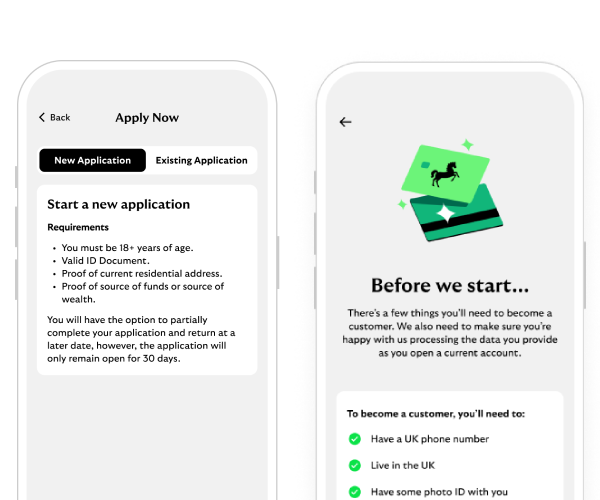
    1. Scan the QR code with your mobile device. Or select the 'Download currency app' button.
    2. Select 'Log In', or if you are a new customer select 'Apply Now'. If you are an existing customer not yet registered for online banking, you will need to do this first.
    3. Enter your username and password.
    4. Read our data consent. You need to 'Accept All' to continue.
    5. The app will detect that this is a new device. If you would like to register this device for mobile banking, select 'Register This Device'.
    6. Log in to online banking using your mobile or desktop browser.
    7. Online banking will prompt you that there is a device ready to be registered. Choose 'Register This Device' to progress.
    8. Your device is now registered. You can register up to 10 devices and de-register them by logging in to online banking at any time.
    9. Re-open the International app – you can now use the app.

    Currency accounts list

    Download currency app

    1. Scan the QR code with your mobile device. Or select the 'Download sterling app' button.
    2. Once open, select 'Log in' if you already use online banking. If not, select 'Register' and follow our registration guide.
    3. Enter your username and password. Use the same details as you do for online banking.
    4. Next, enter 3 characters of your memorable information as indicated.
    5. We'll do a quick security check to confirm it's you. Select a number for us to call you on.
    6. You'll get a 4-digit code on your screen. We'll call you and ask you to say or key the code.
    7. All done, you're up and running.

    Sterling accounts list

    Download sterling app

Check which type of account you have

Currency mobile banking

For the following accounts.

  • Euro and US Dollar International Classic Account.
  • Euro and US Dollar Premier International Current Account.
  • Euro and US Dollar International Current Account.
  • International Instant Saver.
  • International Bonus Saver.
  • International Incentive Saver.
  • Fixed Term Deposits.
  • Money Market Call Account.
Download the currency app

Sterling mobile banking

For the following accounts.

  • International Plus Account.
  • International Classic Account (sterling only).
  • Premier International Current Account (sterling only).
  • International Current Account (sterling only).
  • International Regular Saver Account.
  • Islands Current and Savings Accounts.
Download the sterling app

Download the currency mobile banking app


International banking app

International banking on the go.

  • Simple and secure login.
  • Fast, convenient and secure.
  • Easily manage your accounts.

International banking app

Use our app for international banking on the go.

  • Simple and secure login.
  • Fast, convenient and secure.
  • Easily manage your accounts.
Continue to app

Download the sterling mobile banking app

Mobile banking app

Join our 10 million app users.

  • Simple and secure login.
  • Set up handy notifications.
  • Message us online.

Continue to app

You may also like

Stay safe online

Learn how to avoid scams and protect yourself.

How we protect you

Digital skills training

Maximise your online experience with a free one-on-one session from the Digital Helpline.

Explore lessons

Ways to bank

Get more help with mobile banking, online banking and telephone banking.

Ways to bank

Ways to bank

Get more help with mobile banking, online banking and telephone banking.

Ways to bank