Relationship Managed Service
We combine modern banking with a long-standing tradition of exceptional service, offering you the flexibility and choices you need to manage your finances effectively.
If your card is lost or stolen report it now.
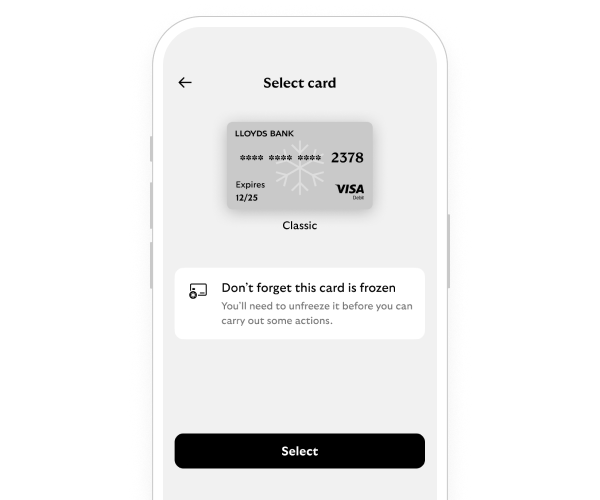
We'll guide you through it.
Currently, you can only add card freezes in the mobile app.
If you need to turn off a card freeze but can’t access the app, call us.
Card freezes depend on how and when payments are processed. Some payments are processed instantly and others, like some public transport services or online retailers, are processed later. If you turn on your card freeze before the payment is processed, the transaction may be stopped.
We also rely on transactions being categorised correctly. In the rare case that this doesn’t happen, we can’t always stop the transaction through card freezes.
Freeze abroad stops payments outside the UK in person and at cash machines.
It won’t stop transactions where retailers don’t ask for bank authorisation, for example payments on TFL or on planes.
Freeze online and remote stops transactions where your card isn’t there when you pay. For example, online, in-app, phone and mail order payments. It includes digital wallets such as Apple Pay and Google Pay.
It won’t stop:
Freeze in person stops transactions where you use your card to make a payment in person, including digital wallets such as Apple Pay and Google Pay.
It won’t stop:
The full freeze instantly blocks transactions on your card, including:
It still allows:
The cash machine freeze (credit card only) instantly blocks your card being used to withdraw money from any cash machine. Your card can still be used for other cash machine services, such as checking your balance.
Freeze contactless
This instantly blocks contactless payments with your debit or credit card.
But note the following difference:
Card freezes are restrictions you can apply yourself to your debit and credit cards. You can update your freezes in the app at any time. When you report your card as lost or stolen, we’ll cancel it and order you a new one.
We also rely on transactions being categorised correctly. In the rare case that this doesn’t happen, we can’t always stop the transaction through card freezes.
Card freezes don’t stop all transactions. Each freeze has some exceptions. You can read about these in the section about what will and won’t be frozen.
Card freezes depend on how and when payments are processed. Some payments are processed instantly and others, like some public transport services or online merchants, are processed later. If you buy something online with the ‘online and remote’ freeze off but turn it back on before the payment is processed, it may still be stopped.
If you get a new card, all settings will be copied over unless your old card has been reported as lost or stolen. If this happens, you’ll need to reapply your freezes to your new card.
If your card is about to expire or get replaced, we’ll show both the old and new cards for a while – even if you haven’t got the new card yet. Once the old card expires or stops working, you won’t see it in card freezes anymore.
Currently, card freezes only work with debit and credit cards, not cash cards.
Each joint current account holder has their own debit card, so freezes you use on your card won’t affect theirs.
As the primary credit card holder, only you can apply card freezes and each card can have different freezes.
If we stop a transaction because of a freeze, we’ll send you a text message.

