Change your business address
If you're a full access user, you can update your business, registered, mailing and personal addresses within Online for Business and the Business banking app.
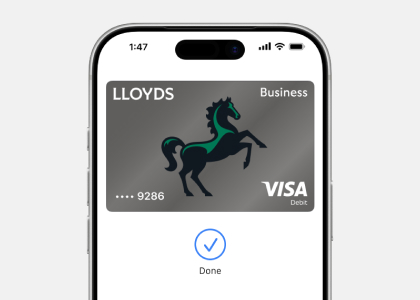
The easiest way to add your card to Apple Pay is through the Business banking app. Watch our short video to see how in a few simple steps.
Visit the Apple website to check which devices are compatible with Apple Pay and where you can use them to make payments and purchases.
To protect you from fraud, we may restrict the value or number of payments you can make using Apple Pay. Make sure you carry your physical business debit card with you just in case. Some retailers may also limit payments to £100.
You’ll be able to see your most recent transactions made using Apple Pay on that device. All your card transactions will appear on your bank statement in the usual way.
Each Apple Pay enabled device can load up to eight cards. As devices do not share cards, if you want the same card on two different devices, you’ll need to load the card on each device separately.
All retailers who accept contactless payments will accept Apple Pay whether they’re in the UK or overseas. Different transaction limits will apply depending on which country you’re in. We recommend carrying your physical card as a backup in case a retailer is unable to accept Apple Pay.
If you use Apple Pay to pay with a card overseas, standard overseas charges will apply according to your card terms and conditions. Based on your mobile plan and mobile networks offering, additional message data charges and foreign transaction fees may also apply.
If your card shows in Apple Wallet, but you still can’t make a payment, it’s likely because the card has been added but isn’t active yet.
To activate your card:
If you did not add your card to Apple Wallet yourself, please call us on 08000150193 or +44 131 203 3102 immediately to get the help to secure your account and investigate the activity.
Report your business card as lost or stolen.
You can start using your new card once it’s available in the app, usually before you receive it in the post.
Find out what to do if your Apple device is lost or stolen and how to remove cards from the Apple Wallet.
If you replace or update your device, you’ll need to add your card(s) again to the new device. Be sure to remove your card(s) from Apple Pay before your dispose of your device.
Call us on 03458355712 to get help if you’re still experiencing issues.
If you need to speak to someone, our agents are here to help Monday to Friday, 8am to 6pm, and Saturday, 9am to 2pm.
View terms of use for Apple Pay
Mobile banking is available to internet banking customers. We don’t charge you for internet banking, but your mobile phone provider may charge for some services. Please check with them. Phone signal and functionality may affect services. Terms and conditions apply.
Apple and the Apple logo are trademarks of Apple Inc., registered in the US and other countries. App store is a service mark of Apple Inc.
Apple Pay is not available on all debit cards, credit cards and accounts. Available on iPhone 6/6+ and above, iPad with Touch ID and Apple Watch, with the latest version of iOS required.