Change your business address
If you're a full access user, you can update your business, registered, mailing and personal addresses within Online for Business and the Business banking app.
If you’re a Full Access User, you can now update your people more quickly and easily in both Online for Business and the Business banking app.
To change who can access your accounts using Online for Business, you’ll need to log in. Log in to Online for Business
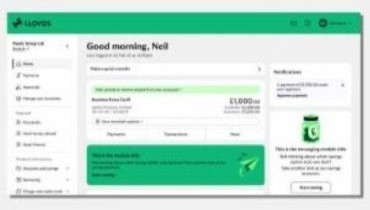
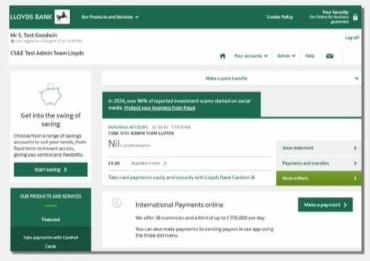
As a Full Access User you can view signatories and access levels in Online for Business. Log in to Online for Business.
2. Under the ‘Your business’ tab, select ‘Manage your people and controls’.
3. The next screen will list all the signatories and their online banking user level.
If you see the message ‘You need full access to view this page’, it means you don’t have Full Access User permissions.
Only a Full Access User can change another user’s online banking access, and any changes must be approved in line with your mandate.
To find out who in your business has Full Access User permissions log into Online for Business.
2. Under the ‘Your business’ tab, select ‘Manage your people and controls’
3. The next screen will list all the signatories and their online banking user level.
4. To change an existing user’s permissions or access level, select 'Manage' next to their name and follow the on-screen instructions.
If there are no Full Access Users on the account and you need to amend the user level of an existing Online for Business user, you’ll need to complete form 12628 (PDF, 174KB) and return it by post to the address shown on the form.
To avoid delays, please complete the form on your computer before printing it. If you fill it in by hand, please use a black pen only.
The quickest way to add a new person is in Online for Business.
You’ll need:
We may also need the details of anyone else who needs to approve the request.
If you don’t have everything to hand, you can save the online form and submit the request later.
Only one person in the business needs to have online banking access to request changes. Additional approvers can approve the request even if they don’t have online banking access.
You can give people full or limited access to your business accounts
|
Full signatory |
Limited signatory |
|
|---|---|---|
|
Full signatory Make payments |
Limited signatory
|
|
|
Full signatory Talk to us about your business account |
Limited signatory
|
|
|
Full signatory Access Online for Business |
Limited signatory
|
|
|
Full signatory Apply for products, such as a loan, overdraft or savings account |
Limited signatory
|
|
|
Full signatory Authorise changes, such as updating your people or updating your business’ address |
Limited signatory
|
|
Find out more about user access levels.
A Full Access User can view all listed signatories by logging in to Online for Business.
2. Under the ‘Your business’ tab, select ‘Manage your people and controls’. Here you can view both full and limited signatories.
3. To view your account rules – including how to make changes or remove people – select the ‘Business signing rules’ tab. You can also see how many full signatories are required to approve access rights under ‘Other tasks’.
If you see a message ‘You need full access to view this page’, you aren’t a Full Access User.
If signatories are no longer able to approve changes, please refer to our board resolution requirements.
Approvers only need an email address and a UK mobile number to review and approve requests online.
Full Access Users can manage who can make and approve payments within Online for Business. Find out how to amend payment control.
If your business changes its name, please let us know in writing.
Make sure your letter includes:
The letter must be signed in line with your account mandate. You can view who is on your mandate and business signing rules in online banking.
Post your request to:
Lloyds Bank
Business Banking
The Green Building
Kirkstall Road
Leeds LS78 1LB
If you aren’t registered for online banking and you are requesting other changes to your business at the same time, you’ll need to complete section 3.2 of form 14080 (PDF, 564 KB) and email or post it back to us.
We will let you know when our records have been updated.
Whenever possible, you should complete the task online - it’s usually the quickest and most efficient option.
If you’re having trouble logging in support is available. And if you’re not currently online, you can find out how to register.
We’re asking all customers to go online when they need to make updates.
We’ll continue to accept forms if you’re unable to use online banking, including when:
If you can’t reasonably complete the task online and need to submit a form, please complete: Instruction to vary your authority 14080 (PDF, 564 KB).
Please send in every page of the form even if you only need to complete part of it.
This includes when there are limits or panels, or you wish to set these up, you need to complete form 14080 above and also complete Instruction to set up complex signing rules 14113 (PDF, 169 KB). Please send both forms together.
Where possible, please complete the form on your computer and print. If you fill in by hand, please use black pen only.
