Order a replacement Business Debit Card

If your card is damaged, you can order a replacement here. If it’s lost or stolen, report this to us immediately.

Online for Business

From June 2026, we're refreshing Online for Business with new branding, an updated design and improved navigation. Over the next few weeks, you may see either the current layout or the new experience.

The guidance below will help you with both versions.

Log in to Online for Business

Chat in the app

In the app, go to 'Support' then 'Message us'.

Ask the assistant to ‘Order a replacement debit card’.

You’ll receive your replacement card in 5-7 working days.

More on the app

Chat in the app

In the app, go to 'Support' then 'Message us'.

Ask the assistant to ‘Order a replacement debit card’.

You’ll receive your replacement card in 5-7 working days.

Online for Business

From June 2026, we're refreshing Online for Business with new branding, an updated design and improved navigation. Over the next few weeks, you may see either the current layout or the new experience.

The guidance below will help you with both versions.

Online for Business guidance

To order a replacement Business Debit Card using Online for Business, you’ll need to log in. Log in to Online for Business
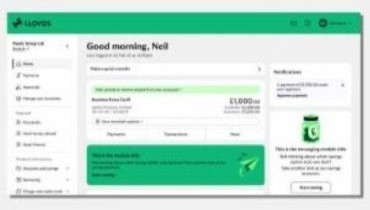
 

If you see the new look, use these steps

  1. Go to ‘More’ underneath the account you need the card for.
  2. Select ‘Manage this account’ then ‘Replace a card’.
  3. Complete the on-screen instructions and select ‘Submit’.

You’ll receive your replacement card in 5-7 working days.
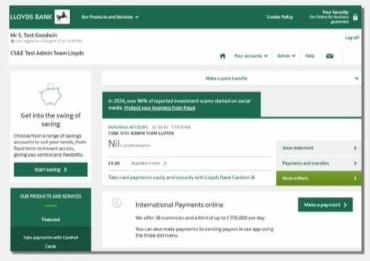
 

If you don’t see the new look, use these steps

  1. Go to ‘More actions’ next to the account you need the card for.
  2. Select ‘Account services’ then ‘Request replacement card’.
  3. Complete the on-screen instructions and select ‘Submit’.

You’ll receive your replacement card in 5-7 working days.

Still need help?

To get you to the right place, we just need to check a few details with you.

Was this page helpful?