Order a card reader for Online for Business 

In Online for Business, card readers can be used to:

  • Log in.
  • Add new recipients.
  • Make payments.
  • Set up standing orders.

There are different ways you can order an extra or replacement card reader.

Please note: there’s a limit of two additional card readers per customer.

  • To Order a card reader using Online for Business, you’ll need to log in. Log in to Online for Business

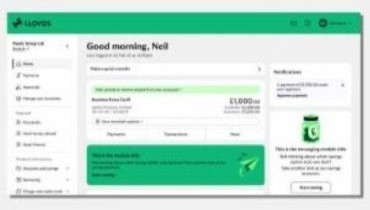
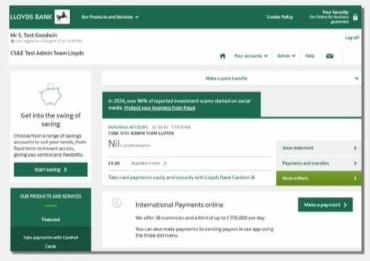
    From June 2026, we're refreshing Online for Business with new branding, an updated design and improved navigation. Over the next few weeks, you may see either the current layout or the new experience. The guidance below will help you with both versions.


    If you see the new look, use these steps

        Request via Chat

           1. Select ‘Chat now’.

           2. Type ‘Order card reader’.

           3. We’ll send your new card reader in the post.

    Order from Manage your business hub

    1. Select 'Manage your business’ then ‘Your business’ tab.
    2. Under ‘Services and requests’ select ‘Another card reader’.
     

    If you don’t see the new look, use these steps

        Request via Chat

            1. Select ‘Chat now’.

            2. Type ‘Order card reader’.

            3. We’ll send your new card reader in the post.

    Order from the admin hub

    1. Select ‘Admin’ then ‘Your business’ tab.
    2. Under ‘Services and requests’ select ‘Another card reader’.
     

    If you see the new look, use these steps

        Request via Chat

            1. Select ‘Chat now’.

            2. Type ‘Order card reader’.

            3. We’ll send your new card reader in the post.

    Order from Manage your business hub

    1. Select 'Manage your business’ then ‘Your business’ tab.
    2. Under ‘Services and requests’ select ‘Another card reader’.
     

    If you don’t see the new look, use these steps

        Request via Chat

            1. Select ‘Chat now’.

            2. Type ‘Order card reader’.

            3. We’ll send your new card reader in the post.

    Order from the admin hub

    1. Select ‘Admin’ then ‘Your business’ tab.
    2. Under ‘Services and requests’ select ‘Another card reader’.
  • If you are registered onto our App, you can message us in the app to order a replacement card reader.

    1. In the app, go to ‘Support’ and then ‘Message us’.
    2. Ask the assistant to 'Order a new card reader’.
    3. We’ll send your new card reader in the post.
  • You can order a replacement card reader by calling us on 0345 072 5555.

    We’re open Monday to Friday, 8am to 6pm and Saturday, 9am to 2pm. This excludes bank holidays.

    If you’re outside the UK call +44 1733 347 338.

  1. Go to the Online for Business login page.
  2. Before you log in, select ‘Chat now’ at the right side of your screen.
  3. Type ‘Order card reader’.
  4. We’ll send your new card reader in the post.

Still need help?

Call us on 0345 072 5555

Lines are open Monday to Friday, 8am to 6pm, and Saturday, 9am – 2pm. This excludes bank holidays.

Was this page helpful?