
Apple Pay
Set up and use Apple pay
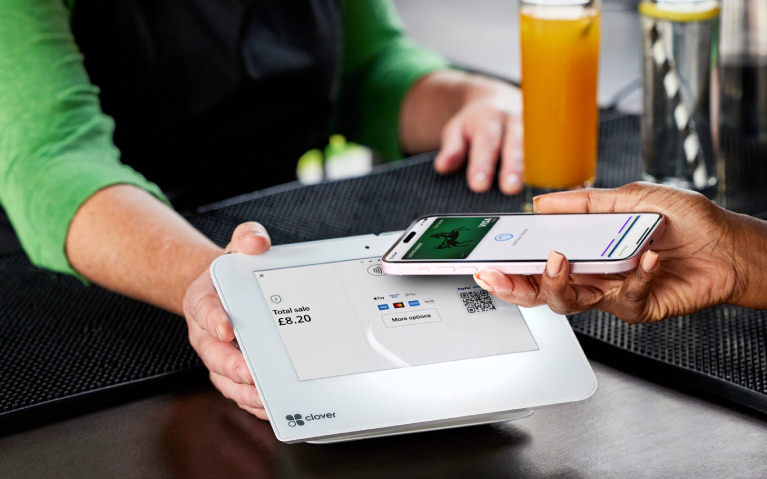
- Pay in shops with your mobile devices instead of cash or card.
- Make paying online even easier.
- And you still get your Everyday Offers rewards on payments.
To protect you from fraud, we may restrict the payments you can make using Apple Pay.
Steps to take
We'll guide you through it.

(1 min 20 secs)
-
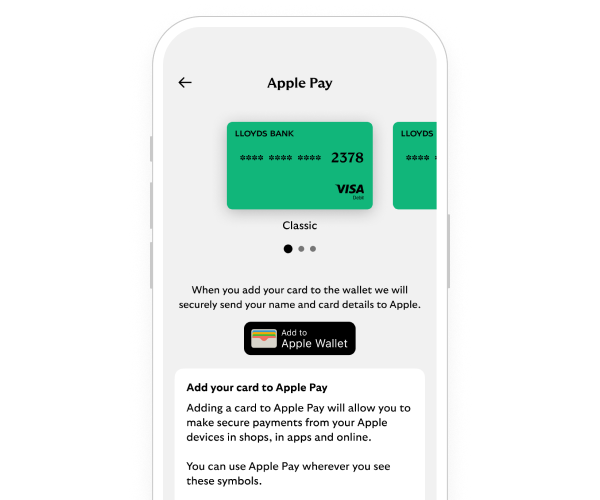
The simplest way to add your card to Apple Pay is using the mobile app.
- Log in to the app and select 'Cards' on the bottom right. Then select 'Apple Pay'.
- Select the debit or credit card to be added and select 'Add to Apple Wallet’. Then select the device you’d like to add your card to.
- Confirm your card details and accept the terms and conditions.
- Your card is now added to Apple Pay and you can select this card as your default card
To see how to do this, watch our video ( 1 min 20 secs).
-
- Open the Apple Wallet app on your iPhone then select the + sign in the top-right corner. Or select 'Wallet & Apple Pay' from either the Apple Watch app, iPad settings or Mac System preferences followed by 'Add Card'.
- Select 'debit or credit card'.
- To add your card details, tap or hold your card close to your iPhone, or using your camera scan the card or type the details manually.
- Then follow the step-by-step guide.
- You may need to verify your card. Select one of the options on screen and follow the instructions.
- Your card is now added to Apple Pay and you can select this card as your default card.
Getting started in the app
Let’s look at the details
You may also like
Important legal information
Mobile banking is available to online banking customers. We don’t charge you for online banking but your mobile phone provider may charge for some services. Check with them. Phone signal and functionality may affect services. Terms and conditions apply.
Apple and the Apple logo are trademarks of Apple Inc., registered in the U.S. and other countries. App Store is a service mark of Apple Inc. Google Play is a trademark of Google LLC. Terms and conditions apply.
Apple Pay is not available on all debit cards, credit cards and accounts. Restrictions include: Non-personal accounts, Electron cards, additional credit card holders and customers under 13 years of age. Available on iPhone 6/6+ and above, iPad with Touch ID and Apple Watch