Pay in a cheque
You can do this in our app
- Pay in cheques of up to £10,000 each, or a total of £10,000 a day.
- Our Mobile Banking app takes a photo of the cheque and reads the details.
- It saves you a trip to the branch and the money is usually available the next working day.
There are some types of cheque that you can't pay in with the app. The app will let you know if this happens.
Steps to take
We'll guide you through it.

(2 min 8 secs)
-
- Log in and choose the 'Everyday' space.
- Then select the 3-dot menu next to the account where you would like to deposit the cheque.
- Make sure the cheque is less than 6 months old and the recipient name is right, then enter the amount on the cheque.
- If you want to, add a reference to remind you who the money is from or what it's for.
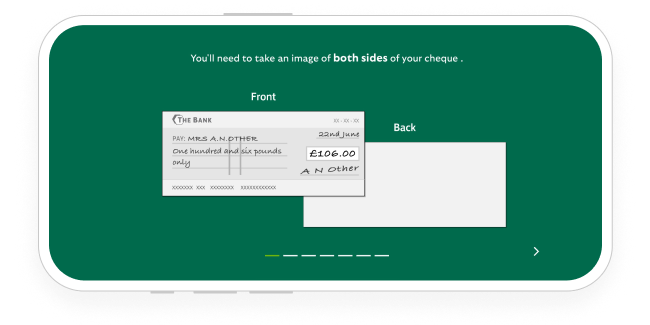
- Select 'Front of cheque' Then, if asked, allow access to your camera.
- Lay the cheque on a flat surface with a dark background. Hold the camera level and directly above it. When a green border appears around the cheque, hold still for a moment. The app will then scan the cheque.
- Select 'Back of cheque'. Repeat the process, even if it’s blank.
- Check the details, then confirm the deposit.
- Keep hold of the cheque until the money is available. Then you can destroy it.
To see how to do this, watch our video (2 min 8 secs).
Getting started in the app
-
If you prefer to bank in person, there’s a range of services in your local area.
You can also pay in a cheque by post.
Essential Checks
Make sure the cheque is less than 6 months old and the recipient name is right.
The amount should be written in both words and numbers and they should match.
The cheque should be in British pounds (£) and pence.
Make sure the cheque is signed.
Write the sort code and account number of the account you want the cheque paying into on the back of the cheque.
Posting your cheque
You can post your cheque to us in 2 ways. Write your sort code and account number on the back of the cheque, place it in an envelope and choose from the following options.
- Send for free. Just write “Freepost LBG” on the envelope. You don’t need to include a stamp or the PO Box address.
- Use standard post. Place the cheque in a stamped envelope, with the right postage and send it to: LBG Processing, PO Box 13664, Harlow, CM20 9XF.
Once we receive your cheque, the money should reach your account within 2 working days.
Need help?
If you're registered for online banking, the fastest way to get in touch is by messaging us securely online.
Let’s look at the details
-
-
-
-
-
-
-
How the Cheque Imaging process works Cheque clearing process
When will the payment affect any interest you get or daily arranged overdraft interest you pay?
When will the payment be available for you to use?
When can the cheque be returned unpaid?
Cheque clearing process
Cheques paid in using the cheque imaging process
When will the payment affect any interest you get or daily arranged overdraft interest you pay?
By 11.59pm on the working day after we receive the cheque.
When will the payment be available for you to use?
From 11.59pm on the working day after we receive the cheque, at the latest.
When can the cheque be returned unpaid?
Up to 11.59pm on the working day after we receive the cheque.


You may also like