Pay someone again
You can do this online
- You can send up to a total of £25,000 online everyday.
- Most payments are sent within two hours.
- Keep track of your daily limit using the 'payment limits' link.
We're unable to cancel a payment once it’s been made.
Steps to take
We'll guide you through it.

(1 min 2 secs)
-
- Log in and select 'Payments' from your account.
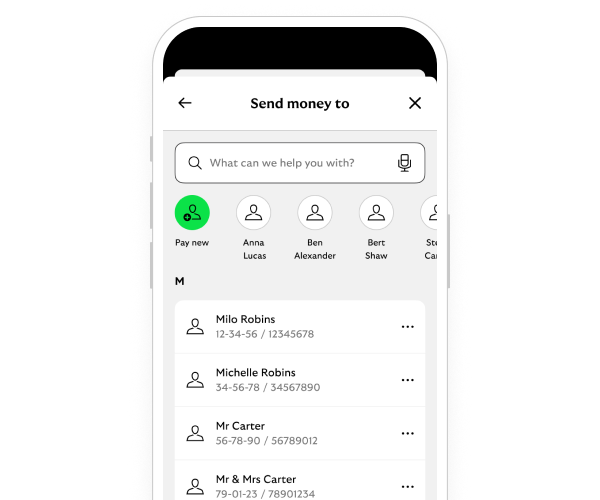
- Select 'Choose who to pay'.
- Select the name of the person or company you want to pay from the list.
- Enter the amount, reference and date you want to make the payment. Then select 'Continue'.
- Check the details. Then select 'Confirm' to make the payment.
- All done – you can share or save your payment receipt, and you can pay them again anytime.
-
- Log in and select 'Payments and transfers' from your account.
- Choose 'Select account or recipient'. This brings up a list of people and companies you've paid before.
- Choose the name of the person or company you want to pay.
- Enter the amount, reference and date you want to make the payment. Then select 'Continue'.
- Check the details. Then select 'Make payment'.
- All done. You've made the payment and can pay them again anytime.
Getting started online
Need help?
If you're registered for online banking, the fastest way to get in touch is by messaging us securely online.
Let’s look at the details
-
-
First, check your account to see if the money has already been returned.
If it has, you can resend the payment with the right details.
If it hasn’t and you know the recipient, the easiest and quickest way to get your money back is to contact them directly.
If you don't know them, if you don’t want to contact them or if the account you paid is closed, give us a call.
We’ll try to recover the money for you. Be aware that we may not be able to help you. In that case you‘ll need to contact the bank you made the payment to.
Calls may be monitored or recorded to help us improve our quality of service.
You may also like