Click to Pay with Lloyds

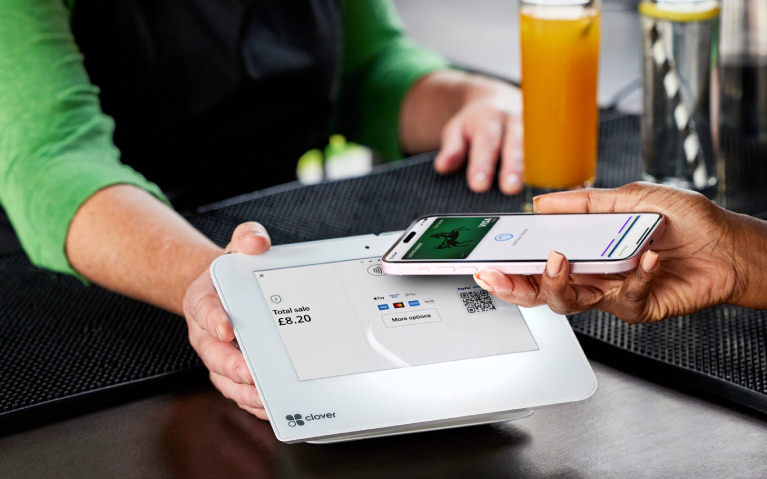
Click to Pay makes online shopping simple and secure wherever you see the Click to Pay logo.

Make your online checkout faster

  • Securely store your address and Visa debit card details.
  • You can use Click to Pay wherever you see the sign.
  • It makes your online checkout quicker.

The Click to Pay icon is a trademark owned by and with permission of EMVCo.LL.

Video length 1 min 20 secs.

Steps to take

We'll guide you through it.

    1. You'll soon be able to use Click to Pay.
    2. Log in to the app then select ‘Cards’ on the bottom right of the screen.
    3. Select ‘Click to Pay’ and you'll be able to see your card enrolled. You can toggle your card on or off.
    4. You can also delete your profile if you decide you no longer want to use Click to Pay. You won't be able to re-register your profile if you do this.

Getting started in the app

Mobile banking app

Join our 10 million app users.

  • Simple and secure login.
  • Set up handy notifications.
  • Message us online.

Continue to app

Let’s look at the details

  • Click to Pay is a simple and secure way to check out online wherever you see the Click to Pay logo. You won’t need to manually enter your card details as these are already saved, securely stored and encrypted with Visa. This means you can check out quickly and safely online. 

  • Your personal details for Click to Pay match the details held by us. You can see and update these using our app. Just tap on the settings icon to view and edit your details. 

  • We've added your active debit card to Click to Pay.  You can view this in our app. If you want to add an additional card to Click to Pay now, you can do this on the Visa website. 

  • The toggle to remove or re-add your debit card allows you to see whether your card is active in Click to Pay. When it's active, it's ready to use. Removing your card means you won’t be able to make a purchase using Click to Pay but your profile remains active. 

  • You can delete your Click to Pay profile in our app. Tap on ‘Cards’ in the bottom right corner of your screen. When you  delete your profile, this will remove all cards registered to Click to Pay that match your details and you won’t be able to re-register using our app if you change your mind. 

  • This depends. If your personal details are the same  with us and with any other bank account you have then you'll have a single Click to Pay profile with all your debit cards together. You'll be able to see this when you check out and select which card to pay with. If your details don't match across  banks,  then you'll have more than one Click to Pay profile. 

  • Great news - you're already using Click to Pay. We're making changes behind the scenes to make Click to Pay even easier to use. Here are the key things you need to know: 

    • We'll be adding your debit card to Click to Pay as part of your account terms and conditions with us. When we do this, your Click to Pay terms with Visa will end. 
    • Your details for using Click to Pay will match the ones we hold on record for you. You can check and update these in our app. 
    • You can manage Click to Pay using our app, including removing cards and updating your details. You'll no longer be able to use the Visa portal to do this. 


  • We’re sorry that you aren’t yet able to use Click to Pay on our app. We're making changes to improve the experience so keep checking back.

    If you want to add your card to Click to Pay now, you can do this on the Visa website.

  • What data are you sharing with Visa? 

    When we add your card(s) to Click to Pay, we also share your personal details with Visa. This includes your name, email address, phone number and address. This information is stored securely and encrypted with Visa. 

    Why do you need to share my data with Visa? 

    Visa and Lloyds Bank provide Click to Pay jointly. We need to share your details with Visa so they can recognise you when you're shopping online and help your payment experience through Click to Pay go smoothly. 

    Who is responsible for my personal information in Click to Pay?

    Lloyds Bank and Visa are joint data controllers for the Click to Pay service. This means that we are both responsible for how your personal data is used and protected.  

    How does Visa use my personal details? 

    Visa uses your data for the purpose of Click to Pay.  They securely share your personal information with participating card networks, service providers and merchants to facilitate the checkout experience. For more on how Visa collects,  protects and shares your personal information, see Visa's Privacy Notice. 

    What rights do I have and where can I find more details?

    You have the right to access your data, correct it or ask for it to be deleted. You can contact Lloyds Bank to do any of these.

    Find out how your data is processed and how to access your rights at:

    Data privacy notice | Privacy | Lloyds

    Visa Global Privacy Notice | Visa

You may also like

Everyday Offers

Get up to 15% cashback with selected retailers when you pay by debit or credit card, or by direct debit.

More about Everyday Offers

App notifications

Opt in to notifications about payments, weekly spend summaries or updates as you use your card.

More about app notifications

Check your spending habits

See where your money goes with this quick and easy online tool.

Your spending insights

More Card and PIN services

Manage how your cards are used, report your card lost or stolen and view your PIN online.

Card and PIN guides

More Card and PIN services

Manage how your cards are used, report your card lost or stolen and view your PIN online.

Card and PIN guides