Set up or manage a standing order
You can do this online
Standing orders let you regularly send money to another account.
- Set up a standing order for up to £25,000 using your phone, tablet or web browser.
- See a list of regular payments in the app or online banking.
- Make changes to or cancel your standing orders at any time.
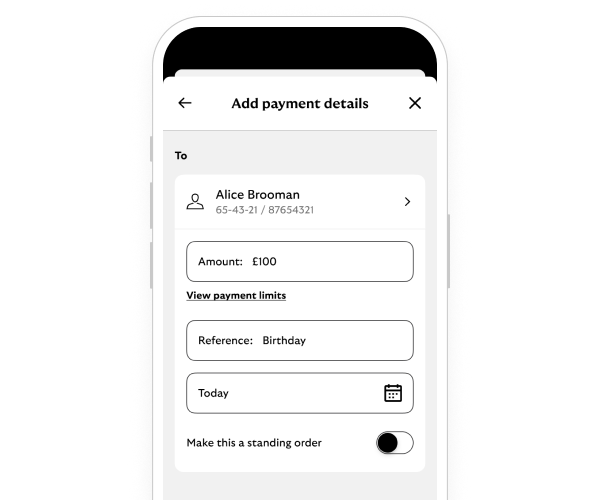
Steps to take
We'll guide you through it.

(2 min 32 secs)
-
- Log in and select your account. Then choose the three-dot menu.
- Select ’Regular Payments’. This will open a list of all your regular payments.
- Then choose ’Set up a standing order’. Or to change an existing one, select either the ‘Amend’ or ‘Delete’ button.
- Follow the on-screen instructions.
- Confirm you want to go ahead.
- We may ask you to enter your password.
- All done – you’ll see a message to confirm you’ve set up a standing order or changed it.
-
- Log in and select ’More actions’ from your account.
- Select ’Direct Debits & standing orders’. Then choose ’Set up a standing order’ or ‘Manage standing orders’.
- To create a new standing order, follow the instructions and enter the payment details. Check the details are right. Then select ’Confirm standing order’ to go ahead.
- Or find the standing order you want to change. Then select the ’Amend’ button next to it to change the payment details or ’Delete’ to cancel it. Confirm you want to go ahead.
- All done – you’ll see a message to confirm you’ve set up a standing order or changed it.
Getting started online
-
You can call us if you're not registered for online banking. If you prefer to bank in person, there’s a range of services in your local area.
Need help?
If you're registered for online banking, the fastest way to get in touch is by messaging us securely online.
Let’s look at the details
-
Types of regular payment
- Direct debits, standing orders and subscriptions are all used to pay bills or move money on a regular basis.
- You can view and manage them in the app or online banking.
Regular payment types
What it is
Used for things like
See these guides
Regular payment types
Direct debit
What it is
- Lets a company take money from your account.
- The amount can go up or down depending on how large the bill is.
Used for things like
- Utility bills.
- Gym memberships.
- Mobile phone contracts.
See these guides
Regular payment types
Standing order
What it is
- Lets you send a set amount of money to another account.
- You control the amount of money you send.
Used for things like
- Moving money to a savings account.
- Paying someone in your family.
See these guides
Regular payment types
Subscription payment
What it is
- Lets a company charge your debit or credit card.
- The amount can be the same each time, or can go up and down.
Used for things like
- Music and video streaming.
- Food memberships.
See these guides
View, cancel or block a subscription (app only)
-
-
-
First, check your account to see if the money has already been returned.
If it has, you can resend the payment with the right details.
If it hasn’t and you know the recipient, the easiest and quickest way to get your money back is to contact them directly.
If you don't know them, if you don’t want to contact them or if the account you paid is closed, give us a call.
We’ll try to recover the money for you. Be aware that we may not be able to help you. In that case you‘ll need to contact the bank you made the payment to.
Calls may be monitored or recorded to help us improve our quality of service.
You may also like